mirror of
https://github.com/jackyzha0/quartz.git
synced 2025-12-28 07:14:05 -06:00

13 lines
706 B
Markdown
13 lines
706 B
Markdown
---
|
|
title: Text Snipper
|
|
---
|
|
|
|
There are many situations where you can't just copy & paste a text from your screen. It may be an image or a part of UI which doesn't support selecting.
|
|
|
|
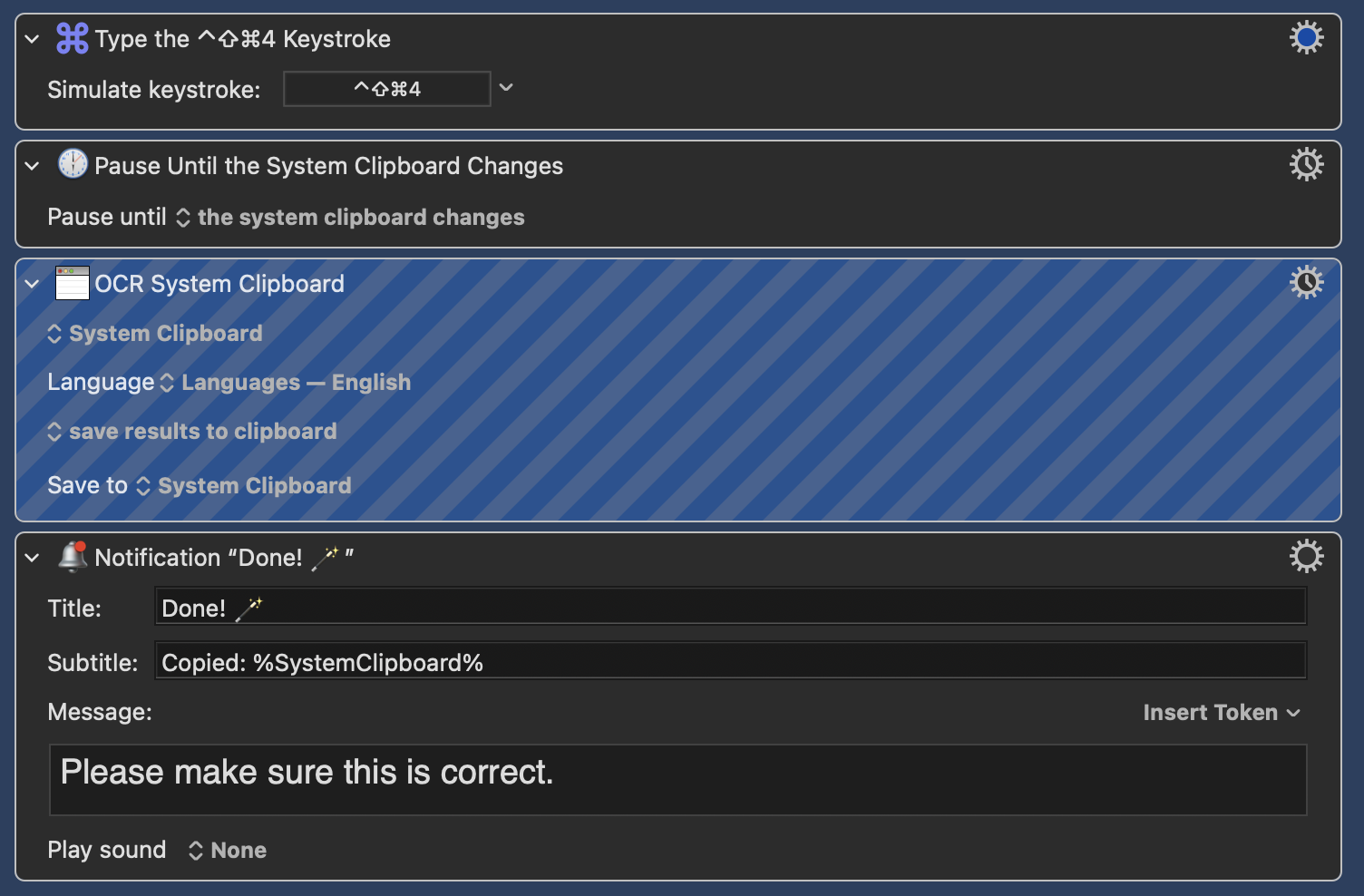
With Text Snipper you can just press a shortcut and select an area. There is also a Keyboard Maestro macro which behaves in a similar way:
|
|
|
|
|
|
|
|
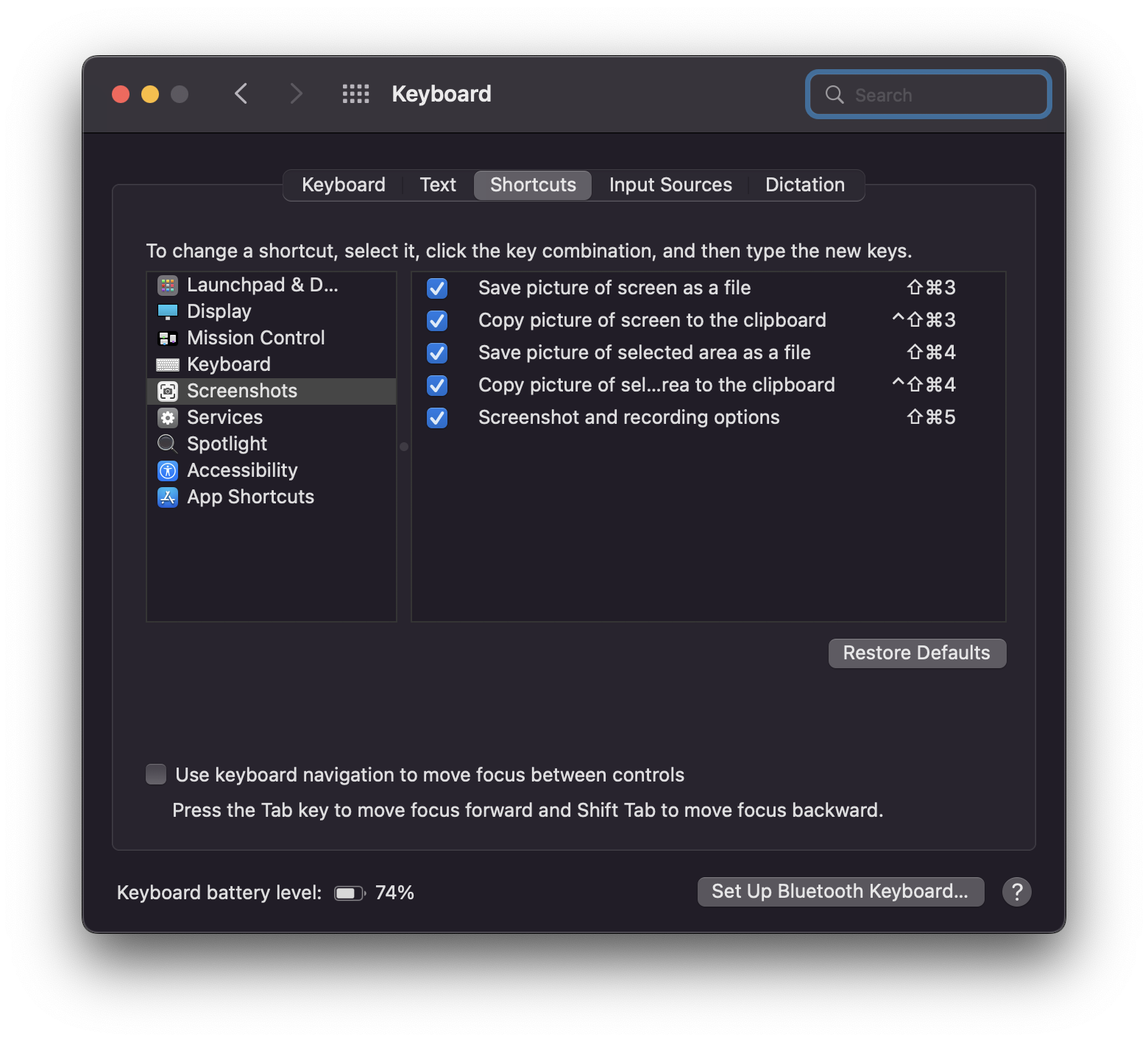
But first you have to make sure that you've assigned a proper keystroke to the action "Copy picture of selected area to the clipboard" in your keyboard preferences:
|
|
|
|
 |