mirror of
https://github.com/jackyzha0/quartz.git
synced 2025-12-28 07:14:05 -06:00

55 lines
4.6 KiB
Markdown
Executable File
55 lines
4.6 KiB
Markdown
Executable File
---
|
|
title: A Mechanical Keyboard Journey
|
|
tags:
|
|
- diy
|
|
- keyboard
|
|
- programming
|
|
- difficulty-easy
|
|
- seedling
|
|
draft: true
|
|
date: 2024-07-25
|
|
lastmod: 2024-09-05
|
|
---
|
|
## The Problem
|
|
|
|
I have two areas where I use keyboards. My home desk, and my work.
|
|
|
|
At home, I had a "gaming keyboard", which was starting to become unbearable. It had generation 1 "silent" switches, which were both loud and uncomfortable to type on. Not to mention the awful software (Corsair iCue, my beloathed). I did enjoy its ergonomics outside of the way the switches felt, but that wasn't enough to justify attempting to retrofit the nearly 10-year-old soldered keyboard. Enter:
|
|
|
|
![[Attachments/panda.png|A red panda-themed keyboard on a fruit themed deskmat.]]
|
|
|
|
And at work, I had a generic membrane keyboard that always felt off no matter how I positioned it. The replacement:
|
|
|
|
![[Attachments/notion.png|An off-white keyboard with colorful modifiers and some Vim position arrow keys on the home row on the same food themed deskmat.]]
|
|
|
|
I did what I do best, and I hyperfixated. I built both of these keyboards within a month of each other, and I'm very happy with them! Here's what I learned. There are three basic components to a keyboard build:
|
|
## Switches
|
|
|
|
I've previously tested all different kinds of switches. A switch's sound and feel falls into three different categories:
|
|
- Linear: Most people will have experienced this with a cheap HP membrane keyboard at their work or school. For those that haven't, it's a much longer travel compared to the flat, short press of a laptop keyboard or similar "scissor switch" keyboards. The amount of force needed to press it down is the same throughout the keypress.
|
|
- Tactile: Unlike a linear switch, somewhere in the keystroke, a tactile switch will feature a 'bump' where the force required increases and decreases. A **D-shape** bump will be in the middle of the stroke, a **P-shape** bump will be at the end of the stroke.
|
|
- I think a D-shape should be called a thorn bump, but I'm weird.
|
|
- Clicky: instead of the tactile bump, where the change is mostly in feel (and the added force of the bump makes *you* cause the noise), clicky switches have a separate metal tang that gets compressed and snapped against another piece of metal during the stroke. This produces a sharp metallic sound and unique feel that some people enjoy.
|
|
### What I chose
|
|
Personally, I like a subset of linear switches known as *silent* linear switches. The silent switch uses some form of dampening, like a silicone gel bumper, inside the switch to minimize the sound of the stem against the housing. Of course, this typically comes with some tradeoff in the typing feel. Both of the keyboards I built use different silent linear switches.
|
|
|
|
For my home keyboard, I chose the [Invokeys Nightshade](https://invokeys.com/products/invokeys-x-alas-nightshade-switches). They have excellent feel, much better than I would expect for a silent switch. A pleasure to type on.
|
|
|
|

|
|
|
|
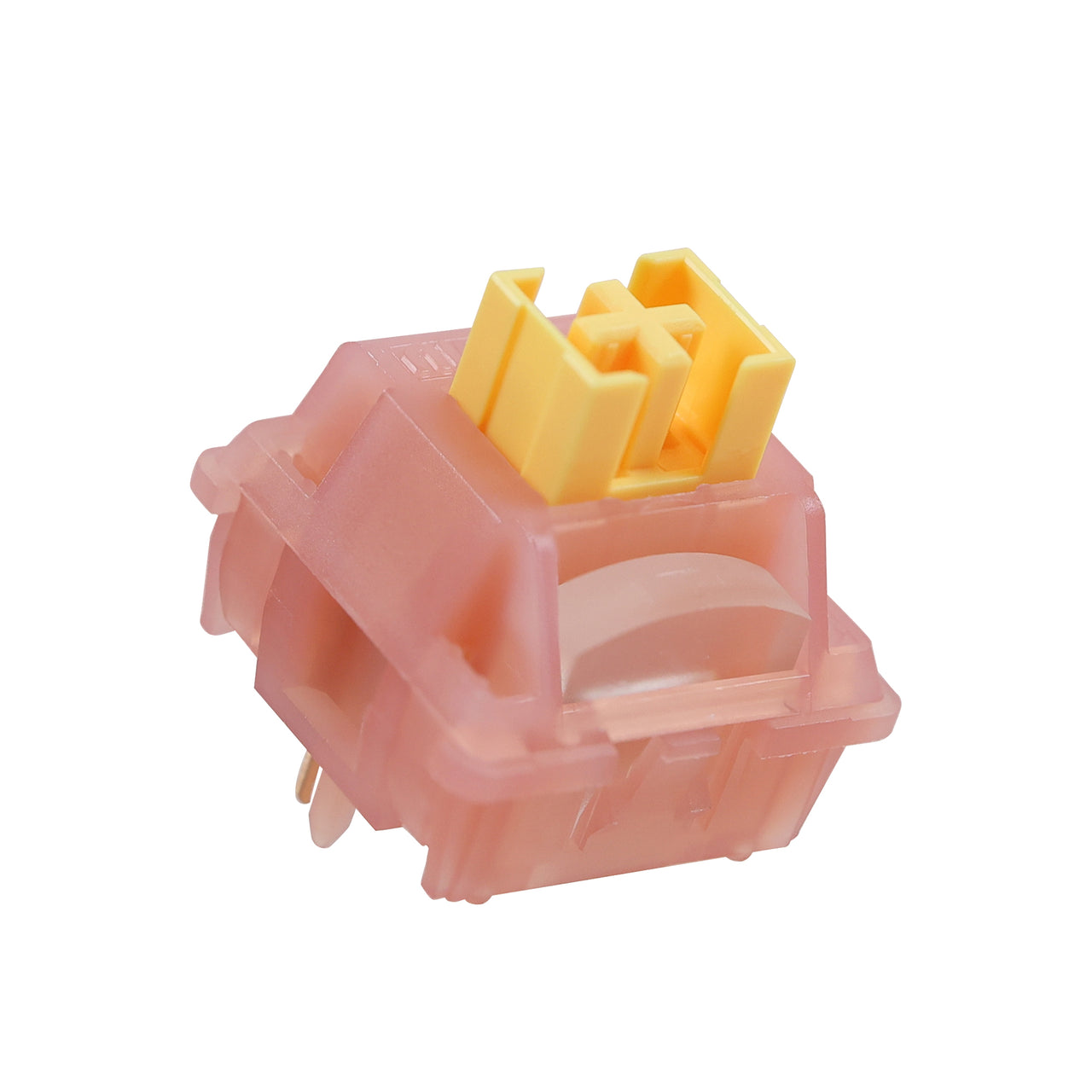
For my work keyboard, I chose the [Outemu Honey Peach v3](https://chosfox.com/products/outemu-silent-honey-peach-switch). They are some of the best switches for real silence out there, typing sounds like a rush of air. However, they feel both mushy and scratchy at the same time.
|
|
|
|
|
|
## Keycaps - Material Girl
|
|
There's not really that much to say here; caps are personal preference on what aesthetic and profile you like.
|
|
|
|
Profile wise, the most common is Cherry, aka CYL (and its close cousin OEM). Anythin g else is more exotic, but might be more comfortable for you! I just use cherry. Look at the keyboard from the side to determine its profile, here are a few common ones:
|
|
|
|
|
|
Material wise, PBT is common for keycaps with dye sublimated (read: chemically painted) legends, and ABS is common on doubleshot (two-step) processes, including shine through legends. ABS also sounds slightly clackier, but it's very minor in my opinion.
|
|
## Boards
|
|
Choosing a board boils down to balancing the look of the case with the size and features of your circuit board.
|
|
|
|
|
|
## Further reading
|
|
There's a somewhat active community around DIY keyboards, but moreso for secondary inputs like macro pads and stream decks. I particularly like the writeup for the [Moogle Matrix Macropad](https://mommidearest.github.io/Keyboard-Diary/2024/02/29/Moogle-Matrix.html). |