
9.4 KiB
| title |
|---|
| Design Maestro |
Czym jest Design Maestro?
To zestaw makr do aplikacji Optymalizacja/Narzędzia/Keyboard Maestro, stworzony z myślą o designerach pracujących w Optymalizacja/Narzędzia/Figma i Optymalizacja/Narzędzia/Webflow oraz korzystających z możliwości systemu MacOS.

Aktualnie zawiera około 80 makr przyspieszających pracę z projektami i plikami, oraz automatyzujących powtarzalne czynności. W tej chwili dostęp do projektu jest zamknięty a jego premiera planowana jest na Styczeń / Luty 2022.
Trzecie miejsce na Product Hunt
Trzeciego czerwca 2022 Design Maestro zdobyło podium na Product Hunt, zajmując trzecie miejsce 🎉

Design Maestro FREE
Projekt został opublikowany pod koniec marca 2022 w formie bezpłatnej wersji 10 makr: https://designmaestro.io
Design Maestro 1.0
W maju 2022 odkryłem akcję w Keyboard Maestro o nazwie Custom HTML prompt, która w swoim założeniu ma umożliwiać wyświetlenie okna dialogu opartego o własny kod HTML. Postanowiłem to wykorzystać aby stworzyć w pełni dostosowany do potrzeb Design Maestro interfejs, który prezentuje się następująco:
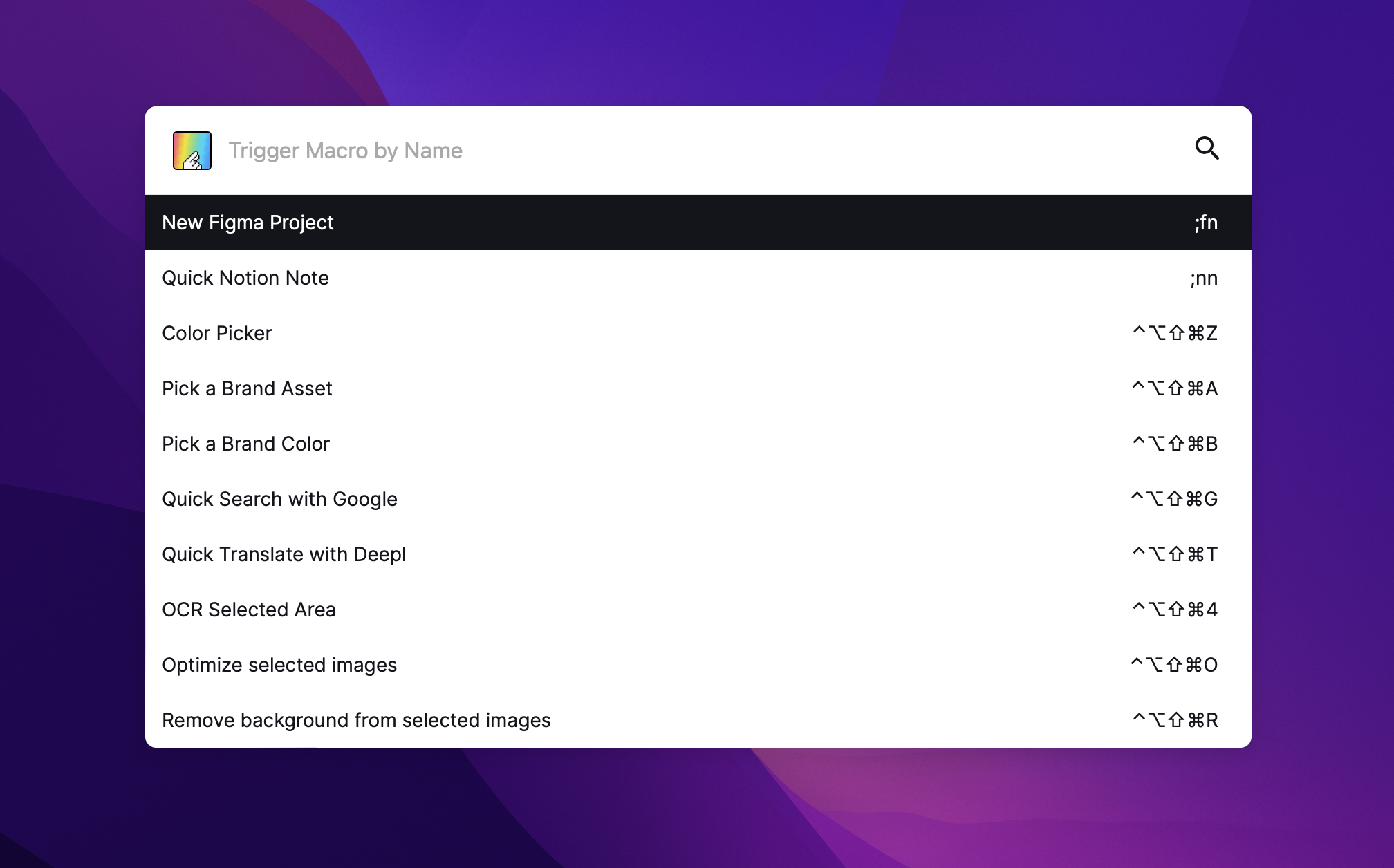
Na ten moment cały interfejs aplikacji wykorzystuje kod JavaScript / HTML / CSS, jednak według mnie możliwe jest tam nawet wykorzystanie np. Vue czy Svelte. Tym bardziej że całość oparta jest o bibliotekę makr, które umożliwiają tworzenie kolejnych.
Design Maestro oferuje między innymi:
- Dodawanie własnych assetów i kolorów do szybkiego wyboru
- Color Picker możliwy do wykorzystania w dowolnym miejscu systemu
- Możliwość szybkiego wyszukiwania w Google oraz Deepl
- Możliwość zapisywania URLi szybkiego dostępu
- Możliwość tworzenia własnych snippetów (text expander)
- Optymalizowania zaznaczonych zdjęć
- Usuwania tła z zaznaczonych zdjęć
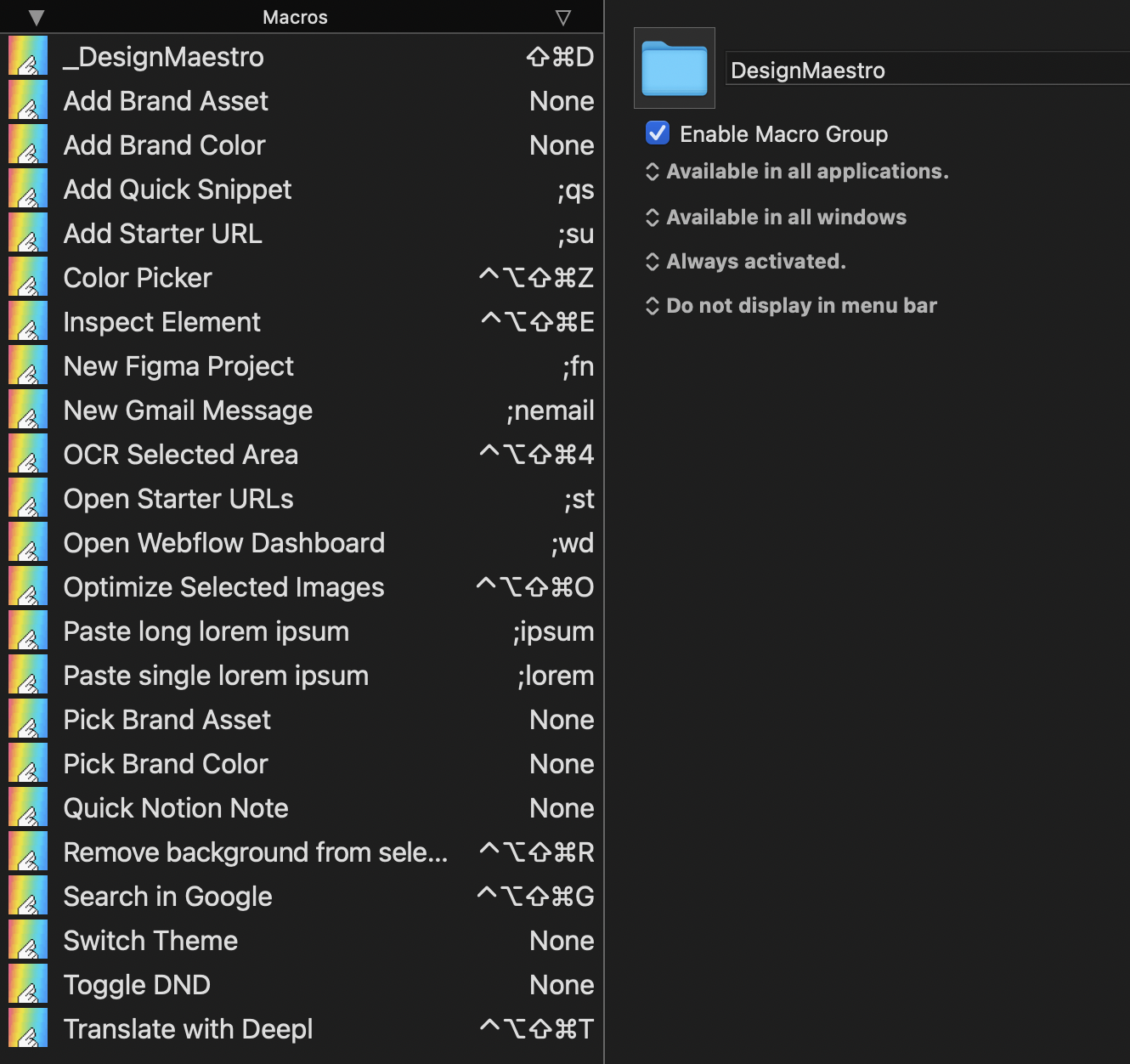
README.md repozytorium https://github.com/iceener/designmaestro (aktualnie prywatne).
Introduction
DesignMaestro is a set of macros of Keyboard Maestro which was build on top of Custom HTML Prompt Action. It was designed so creating a new macros are as easy as it possible by by using JSON objects.
An example prompt looks like this:
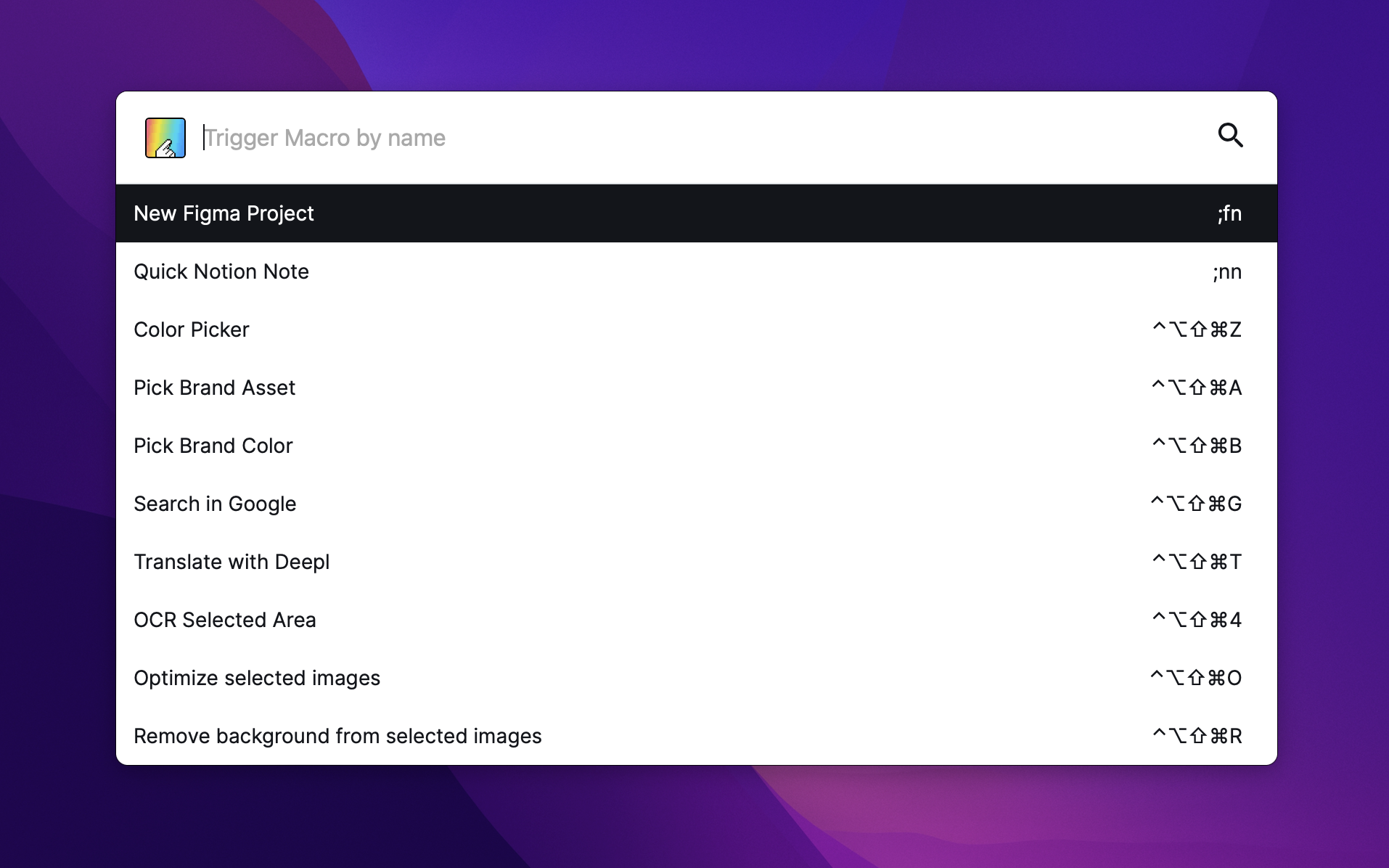
A core of this project is an Svelte application bundled with Vite.js to a single HTML file which may be loaded from /dist directory or by pasting it inline to Custom HTML Prompt Action.
Installation
- Download this repostiory to your Mac
- Go to a directory and run
npm install - Build project with
npm run build - Point
index.htmlfromdistdirectory toCustom HTML Prompt Action - After each change make sure you rebuild a project with
npm run build
Predefined Macros
We have created a set of predefined, plug&play macros you can use right away. DesignMaestro macros were created with designers in mind to improving their work by saving time on repeatitive tasks.
This includes:
- optimizing image file sizes
- removing backround from selected images
- saved assets picker
- saved color picker
- copy text from selected screen area (with OCR feature)
- global system picker (copying hex color from pixel which is pointed with a mouse)
- quick translation & searching
- quick creating a figma, notion and webflow projects
- pasting
Lorem ipsum dolor sit amet, consectetur adipiscing elit interdum hendrerit ex vitae sodales.
Those macros are available here for free: https://designmaestro.io. (Premium set of packages is on a way)
Create a custom Prompt
DesignMaestro allows you to create a simple form which contains:
- a title & description
- form inputs (text, textarea, select, color, radio, datetime-local)
- actions buttons (confirm and cancel)
An example looks like this:
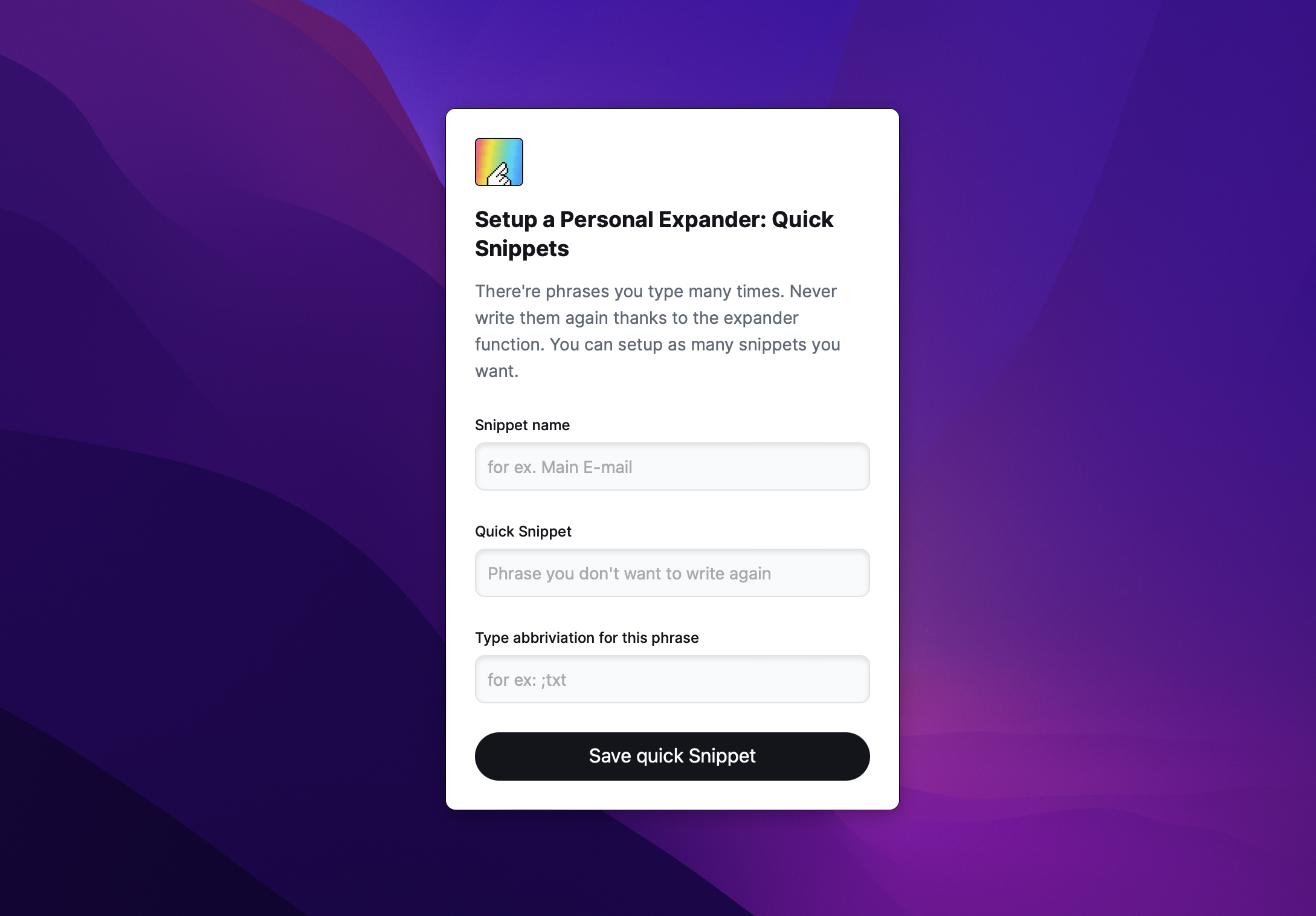
In order to generate this prompt like this, basically you have to:
- Create a JSON object and save it's stringify version in a
DMLaunchervariable of Keyboard Maestro. - Use
Execute a Macroaction and trigger(util) Rendermacro.
All input values will be saved in Keyboard Maestro variables and names of those variables will match inputs name field. For example: <input name="example" /> value will be saved in a variable with a name example.
| Please note that those variables will be saved only if Prompt will be ended with a confirmation (pressing Enter or Primary button)
JSON reference both for prompt and lists configuration looks like this:
{

  "type": "prompt", // prompt or list

  "actionType": "default", // required only for type: "list". default - trigger macro by name | download - downloads a image file and set its content to clipboard | copy - copy a value of list item to a clipboard

  "header": {

    "active": true,

    "title": "", // prompt header

    "description": ""  // prompt description

  },

  "actions": { // custom prompt actions

    "mode": "decision", // decision | confirm. Decision displays boths confirmation & cancel buttons and confirm displays just a confirm button

    "visible": true, // true | false - with type of list, actions should be set to false

    "confirmLabel": "Translate", // confirm button label

    "cancelLabel": "Nevermind" // cancel button label

  },

  "inputs": [] // see a reference below. This is required for `type: prompt`

  "list": [] // see a reference below. This is required for `type: list`

}
JSON reference for inputs looks like this:
As you can see it's an array of objects describing each input field.
[

	{ // TEXT / TEXTAREA / DATE INPUT FIELD

      "type": "text", // text | textarea | datetime-local

      "name": "textVar", // value of this input is connected with KM variable with this name

      "label": "This is a text field", // input label

      "value": "default value", // it can be set right here or by setting a KM Variable with a name coresponding to this input name.

      "placeholder": "Type something", // input placeholder

      "focused": true, // autofocus. Make sure to have a single one for each prompt

	  "rows": 8 // for textarea only! Default: 8

    },

    { // COLOR picker input

      "type": "color",

      "name": "colorVar", // value of this input is connected with KM variable with this name.

      "value": "#ffffff", // it can be set right here or by setting a KM Variable with a name coresponding to this input name.

      "label": "Quick Snippet", // input label

    },

    { // SELECT input

      "type": "select",

      "name": "selectVar", // value of this input is connected with KM variable with this name.

      "label": "Select something",  // input label

      "placeholder": "Choose", // input placeholder

      "value": "en/pl", // default value

      "focused": true, // autofocus. Make sure to have a single one for each prompt

      "options": [ // An array of options
        {
          "label":"Label", // Option label
          "value": "option1",  // Option value
          "selected": true // true / false is selected
        }
	  ]
	}
]
JSON reference for list items looks like this:
As you can see it's an array of objects describing each list item.
[
  {
	  "label": "", // list item main label
	  "value": "", // value of an item. May be: a macro name to trigger, value to be copied to clipboard or an image file needed to be downloaded and copied to clipboard
	  "description":"" // description of an item, is showing on a right side
	  "thumbnail": "" // (optional) url to a thumbnail (must be public and point to the image file)
  }
]
Confirm & Cancel actions
While prompt is displayed there're two ways to close it: by confirming, which means saving a variables to Keyboard Maestro or by cancelling and just closing a window.
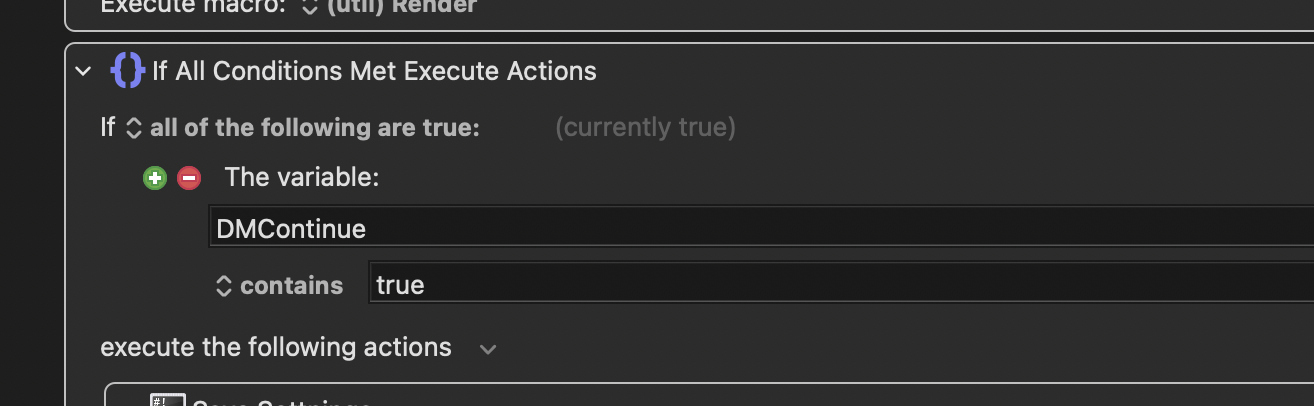
In order to make sure that following actions won't be activated, just use if statement and check if a variable called DMContinue is set to true, like so:
Summary
In order to generate a new prompt you need to:
- create a configuration JSON
- add
inputs(for type: prompt) andlist(for type: list) - trigger a macro called
(util) RenderwithExecute a Macroaction.
Known issues
Clicking on list item doesn't trigger an actionSelect input default value does not workThere is no simple way to manageDMSettings(only forPredefined Macros)